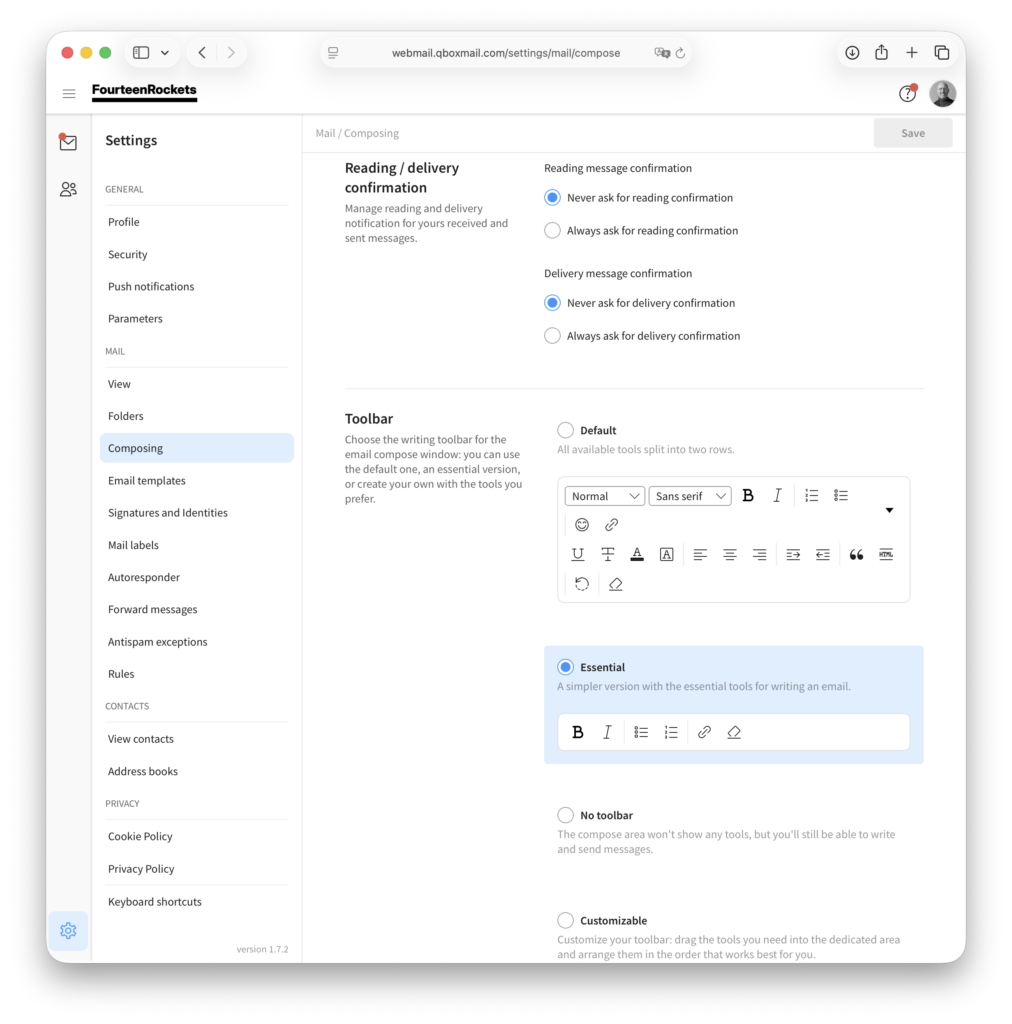
The toolbar above a new message holds the buttons for formatting your text. Under ‘Toolbar’ in the ‘Composing’ settings, you choose which toolbar webmail shows. ‘Default’ shows all available tools in two rows. ‘Essential’ shows only bold, italic, lists, links and the button that removes formatting. ‘No toolbar’ shows no tools, but you can still write and send messages. ‘Customizable’ lets you choose the tools yourself.
- Click the settings icon in the bottom left corner of webmail.
- Select ‘Composing’ under ‘Mail’.
- Under ‘Toolbar’, select ‘Default’, ‘Essential’, ‘No toolbar’ or ‘Customizable’.
- Click ‘Save’ in the top right corner.
With ‘Customizable’, drag the tools you need into the toolbar area and arrange them in the order you prefer, then click ‘Save’ in the top right corner.