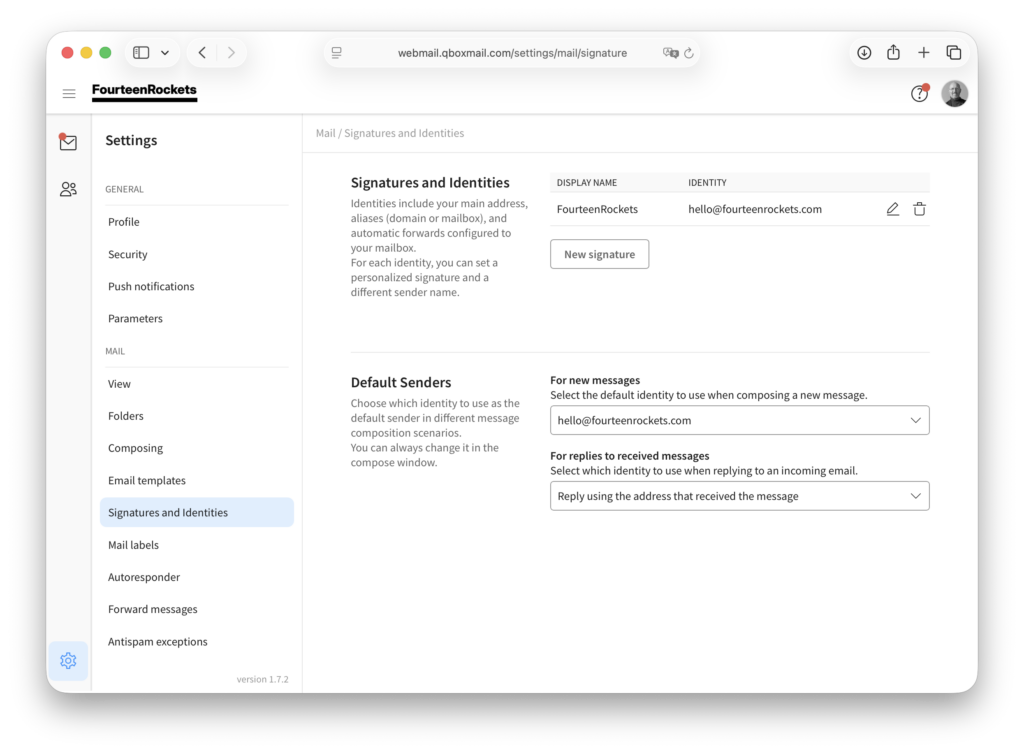
In ‘Signatures and Identities’, you give each address on your mailbox its own signature and display name, and you choose which address webmail uses as the sender by default.
Add an email signature
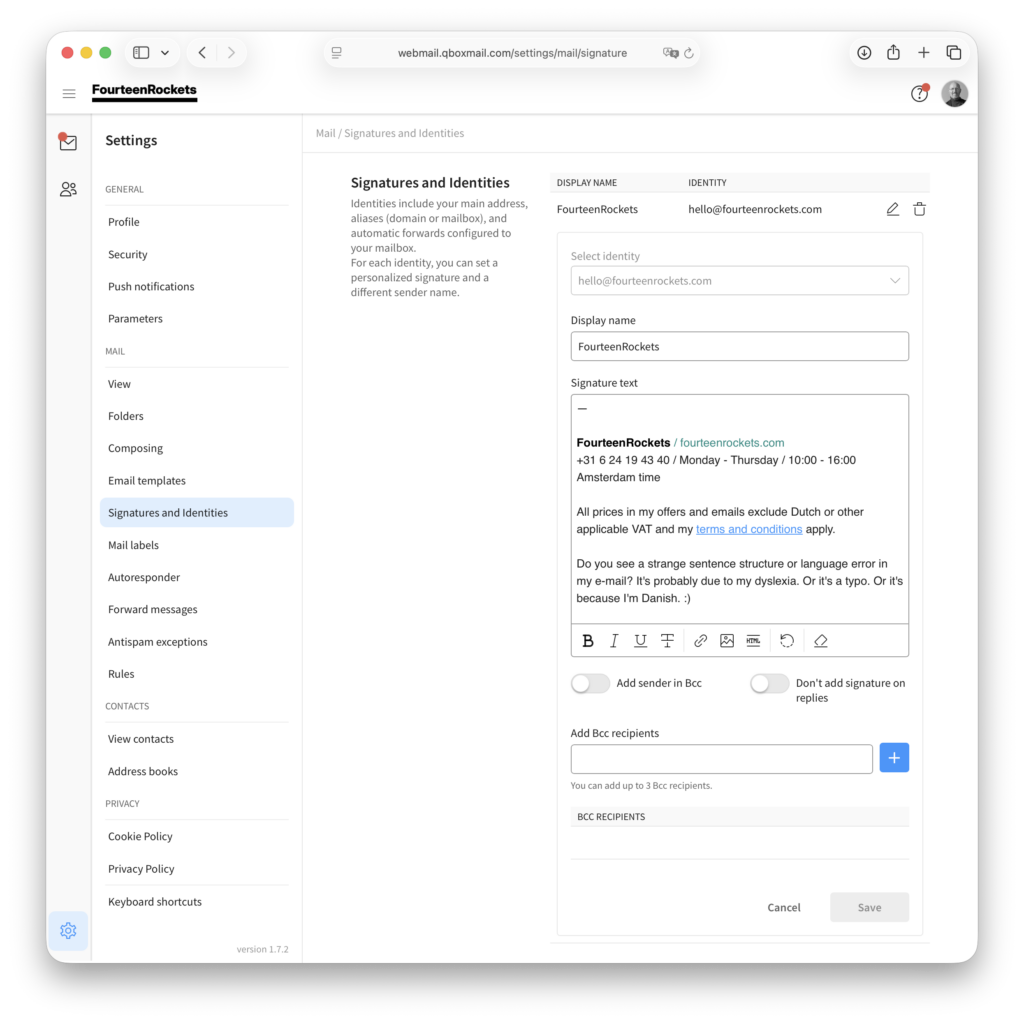
A signature is added to the bottom of every message you write in webmail. Each address on your mailbox, including each alias, can have its own signature and its own display name, which is the name recipients see next to your email address. For example, info@yourdomain.com could show the name of your organisation, while hello@yourdomain.com shows the name of the person who answers that alias.
- Click the settings icon in the bottom left corner of webmail.
- Select ‘Signatures and Identities’ under ‘Mail’.
- Click ‘New signature’.
- Select your email address or alias under ‘Select identity’.
- Type the name recipients should see in the ‘Display name’ field.
- Type or paste your signature in the ‘Signature text’ field.
- Click ‘Save’.
The signature is now added to every message you send from that address, including your replies. If you do not want the signature under your replies, turn on ‘Don’t add signature on replies’ before you click ‘Save’.
To change a signature later, click the pencil icon next to the address. If the ‘New signature’ button is not shown, every address on your mailbox already has a signature, and you can change the signature with the pencil icon.
Choose the default sender
Under ‘Default Senders’, you choose which address webmail fills in as the sender. You can still change the sender of any message in the ‘From’ field while you write the message.
- Click the settings icon in the bottom left corner of webmail.
- Select ‘Signatures and Identities’ under ‘Mail’.
- Under ‘For new messages’, select the address or alias for new messages.
- Under ‘For replies to received messages’, select the address for replies.
Webmail saves the default senders as soon as you select them, so there is no ‘Save’ button in this part of the screen.
We recommend keeping ‘Reply using the address that received the message’ for replies. A reply to an email that was sent to an alias is then sent from that same alias, so the conversation stays on the address the sender used.