How to set up your FourteenRockets mailbox in the Mail app on your Mac.
Compatibility
Please use the most recent version of macOS on your Mac. This ensures that your mailbox synchronises correctly and that you benefit from the latest security updates. Updating regularly is a good habit in any case.
Before you start
Have your email address and mailbox password ready. We emailed the password to you when we created your mailbox. When setting up your devices, always choose IMAP to ensure that all of your devices synchronise with each other.
Step-by-step instructions
Step 1
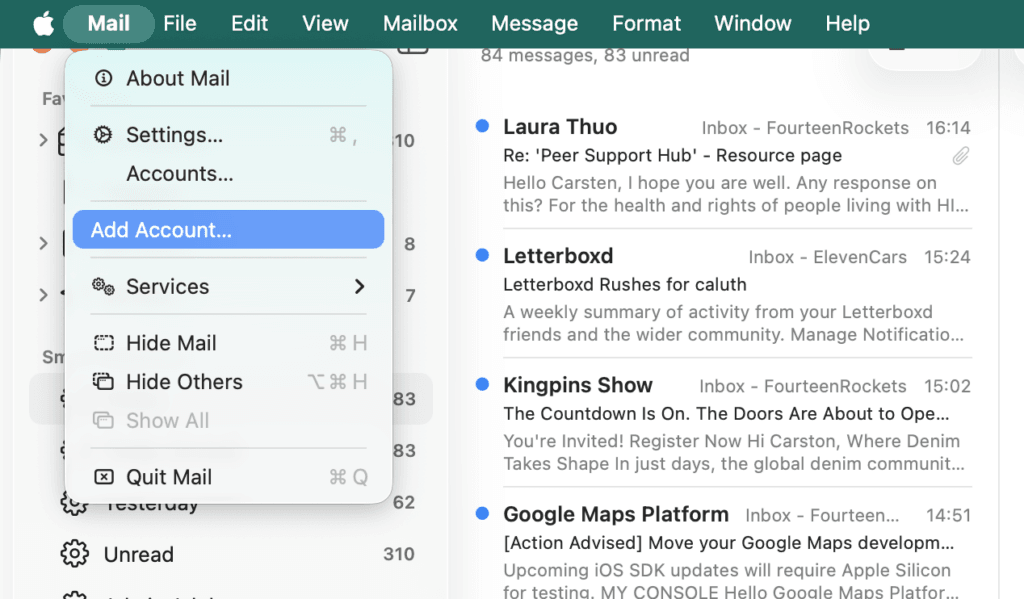
Open Mail. In the menu bar, open the Mail menu and choose Add Account. If you are opening Mail for the first time, the Add Account window appears straight away.
Step 2
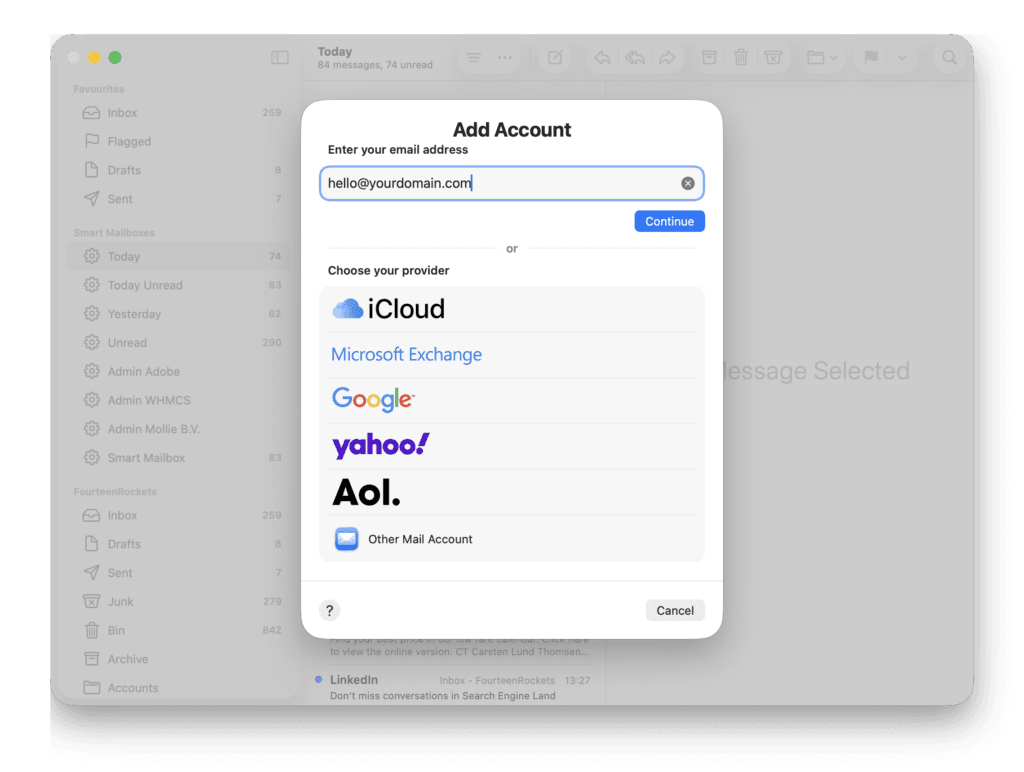
In the Add Account window, type your email address in the field at the top and click the small link ‘Choose from a list’. Then click ‘Other Mail Account’.
Step 3
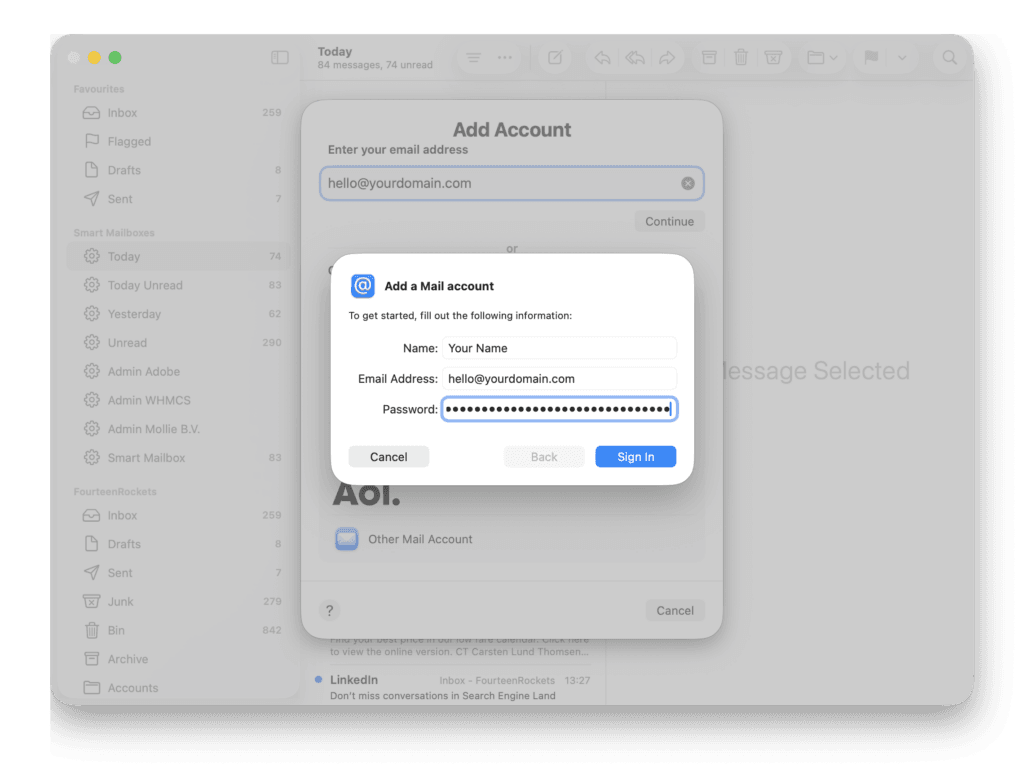
A window titled ‘Add a Mail account’ appears. Enter your name as you want recipients to see it, check that your email address is correct, and enter your password. Click Sign In.
Step 4
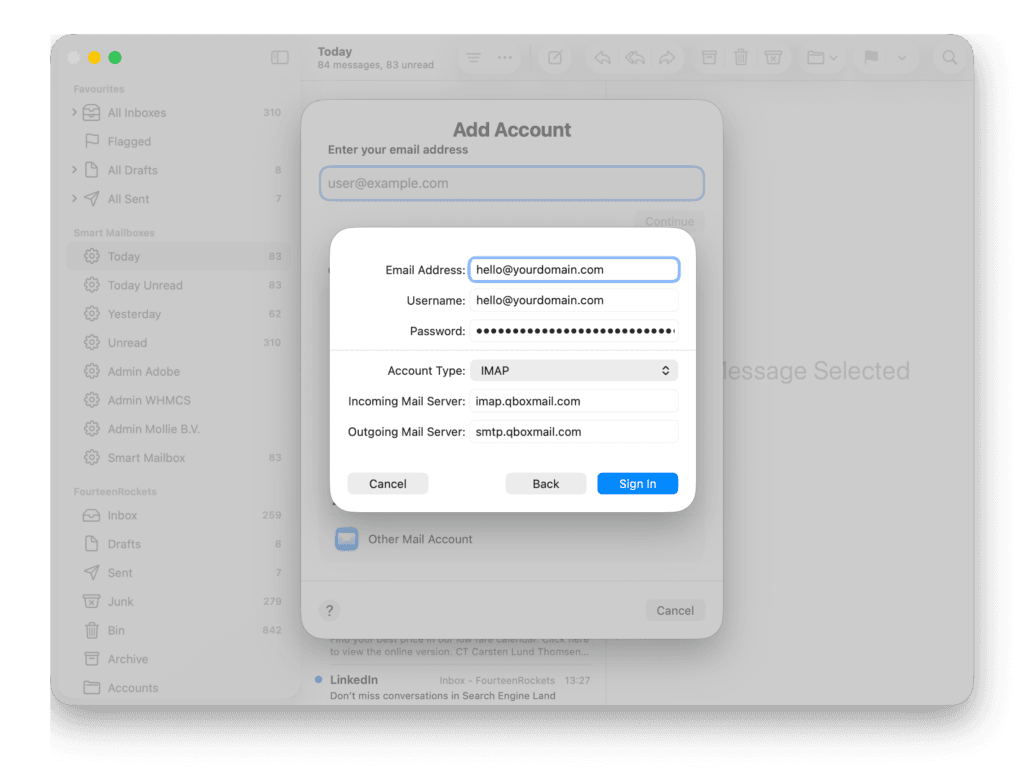
Mail now asks for the server details. If you see the message ‘Unable to verify account name or password’, do not worry, this is normal. Fill in the fields like this:
- Username: your full email address
- Account Type: IMAP
- Incoming Mail Server: imap.qboxmail.com
- Outgoing Mail Server: smtp.qboxmail.com
Click Sign In.
Step 5
Select the apps you want to use with this account. Keep Mail ticked, and untick Notes if you do not use it. Click Done.
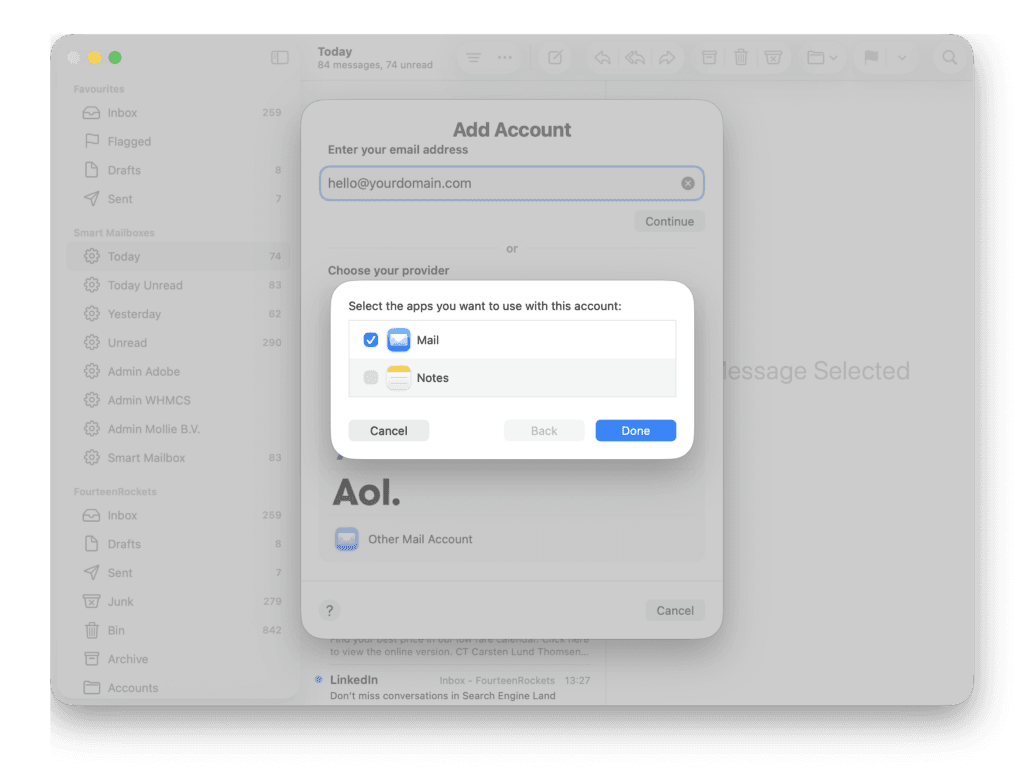
That is it. Your mailbox now appears in the sidebar, and Mail starts downloading your messages. On a mailbox with a lot of email, this can take a little while.
Server settings
Your Mac will automatically choose the correct security settings. If you ever need to check or enter them manually, these are the settings for your mailbox:
- Incoming (IMAP): imap.qboxmail.com, port 993, TLS
- Outgoing (SMTP): smtp.qboxmail.com, port 465 with SSL, or port 25 or 587 with STARTTLS
- Username: your full email address, for both servers
Still having trouble?
If you’re still having trouble setting up your email account or saving your email settings, please don’t hesitate to contact us for assistance.